
When a client transitions from paper-based processes to digital, familiarity matters. This is how we digitised a homeopathic doctor’s 4-page paper intake form — replicating it exactly, down to headers, spacing, and font — and built a matching email notification system that delivers submissions in a format the client already knew how to read.
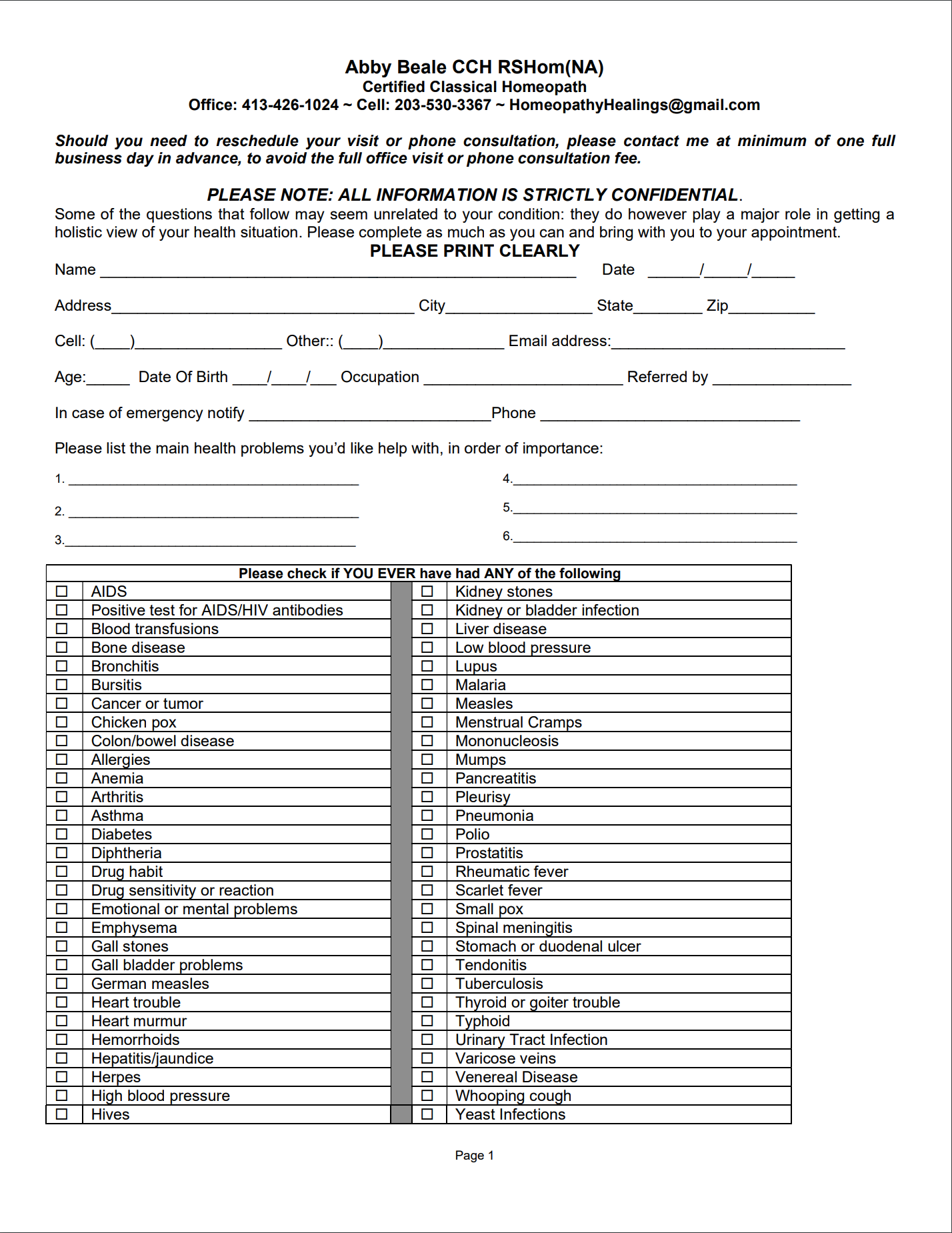
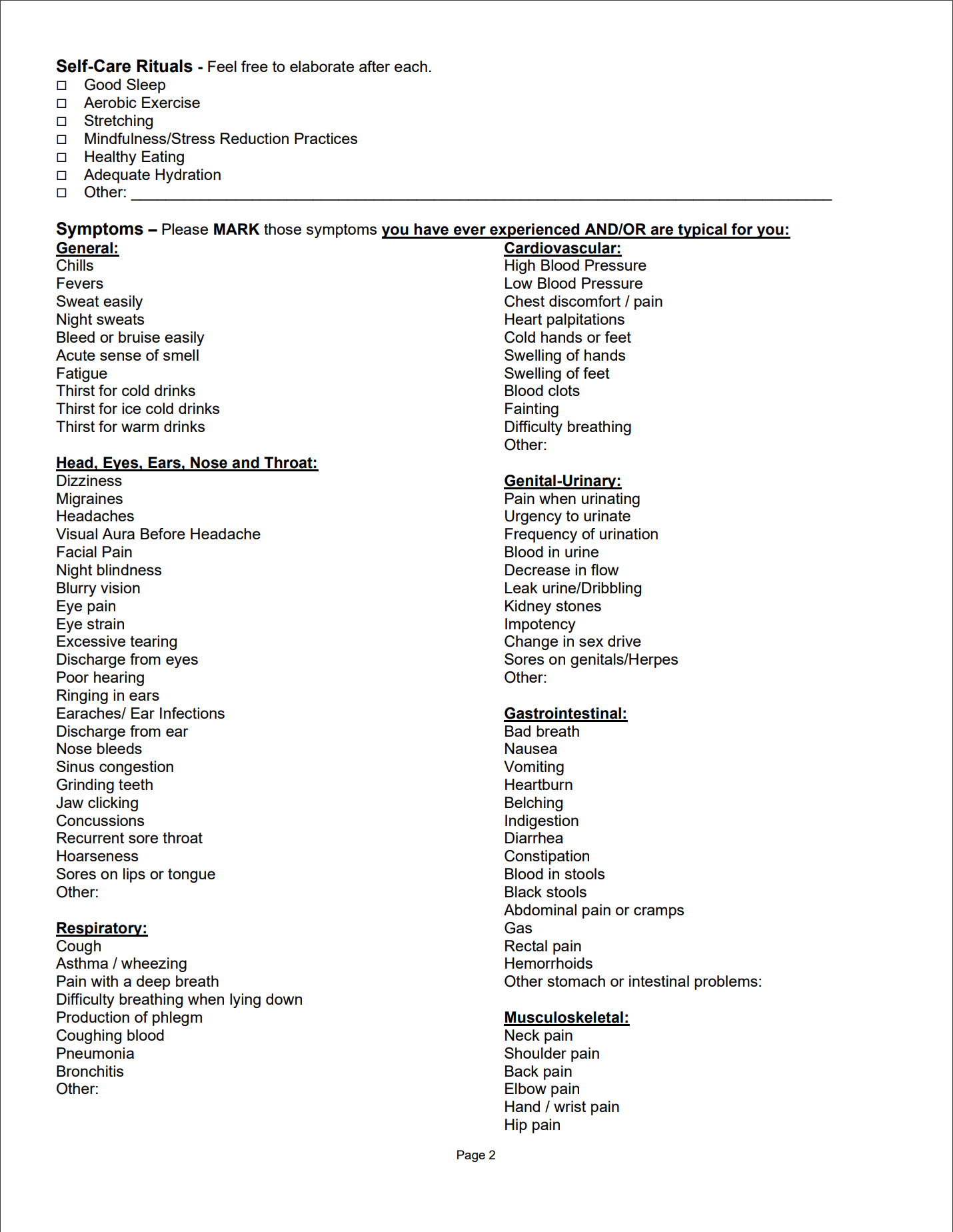
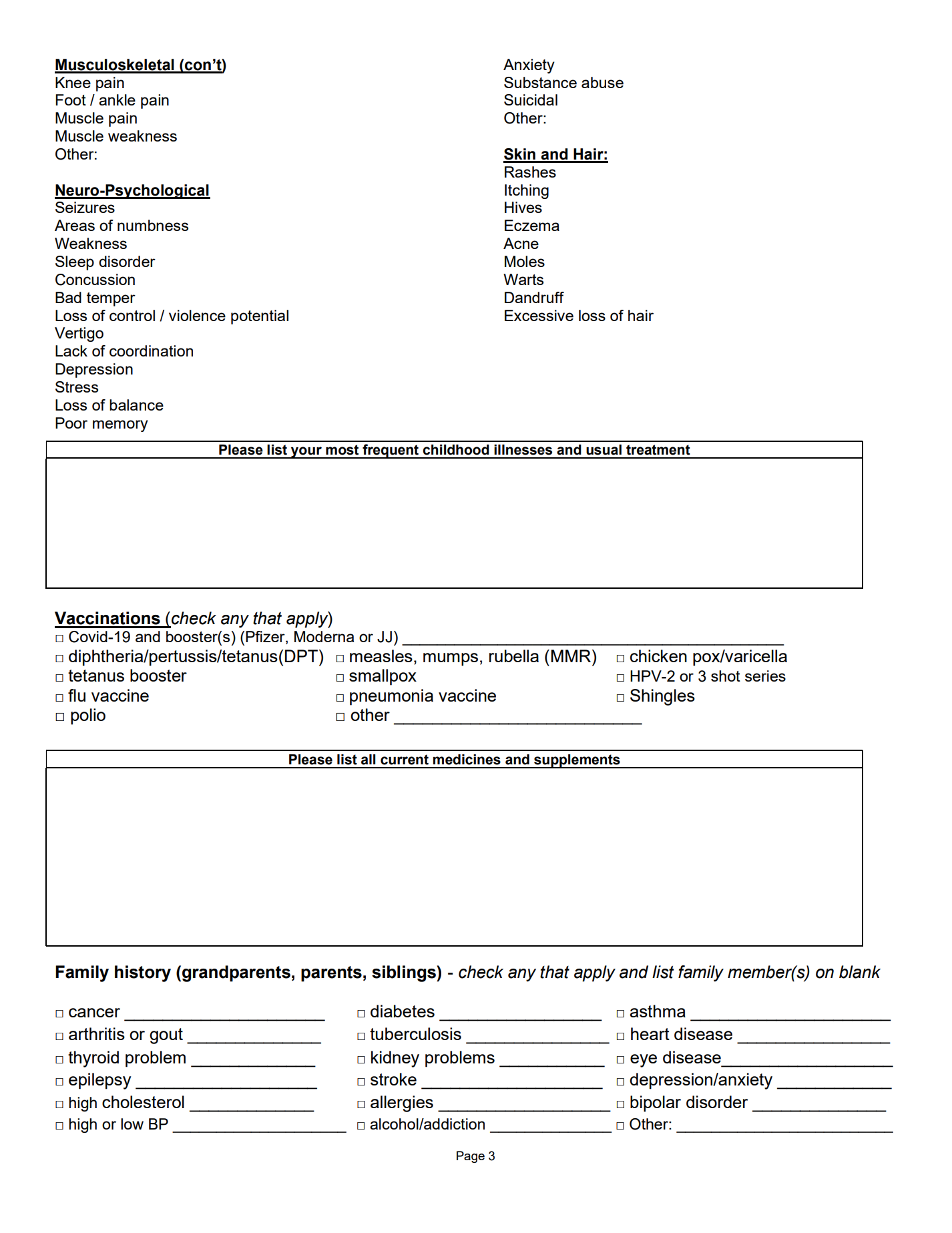
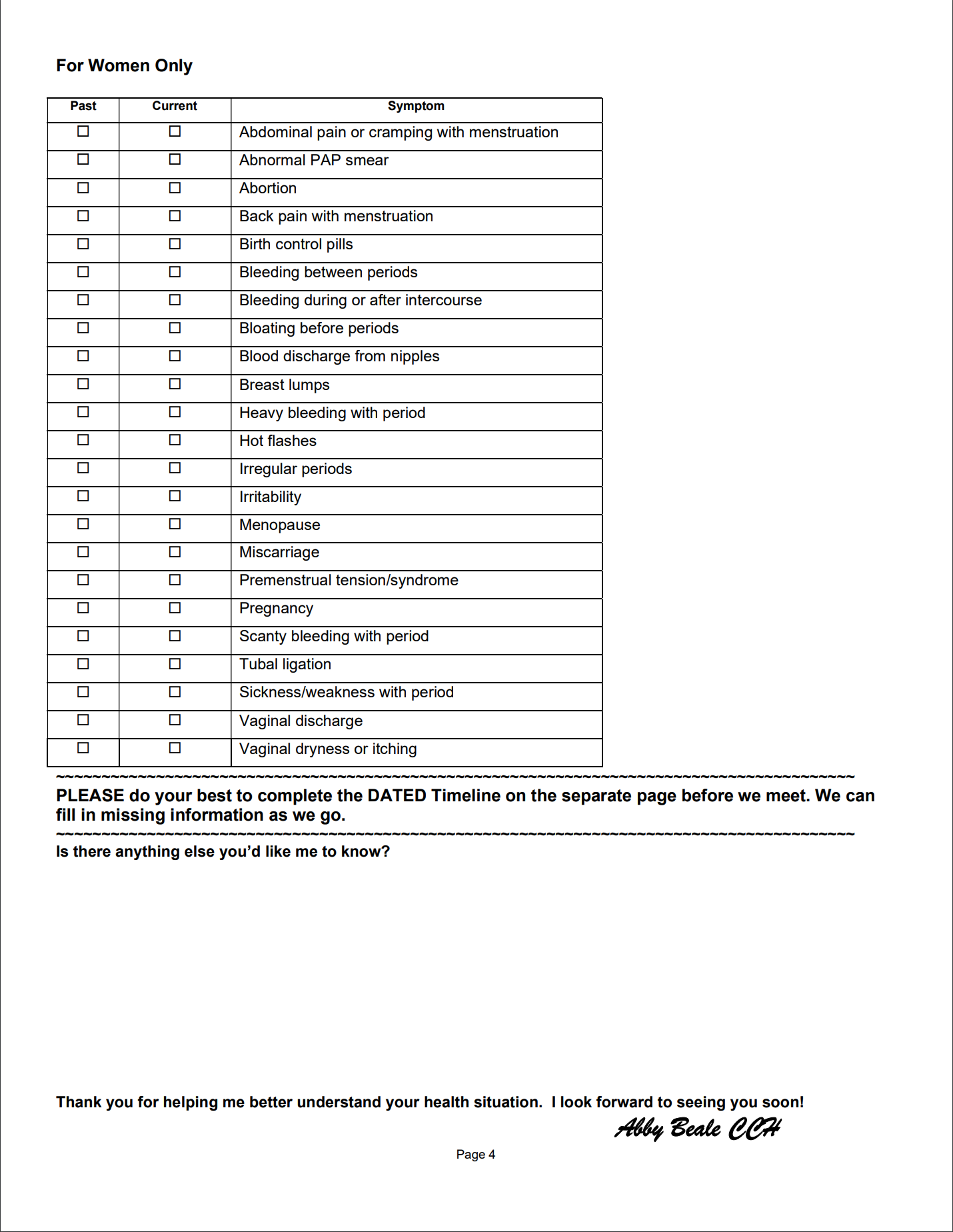
Original paper form
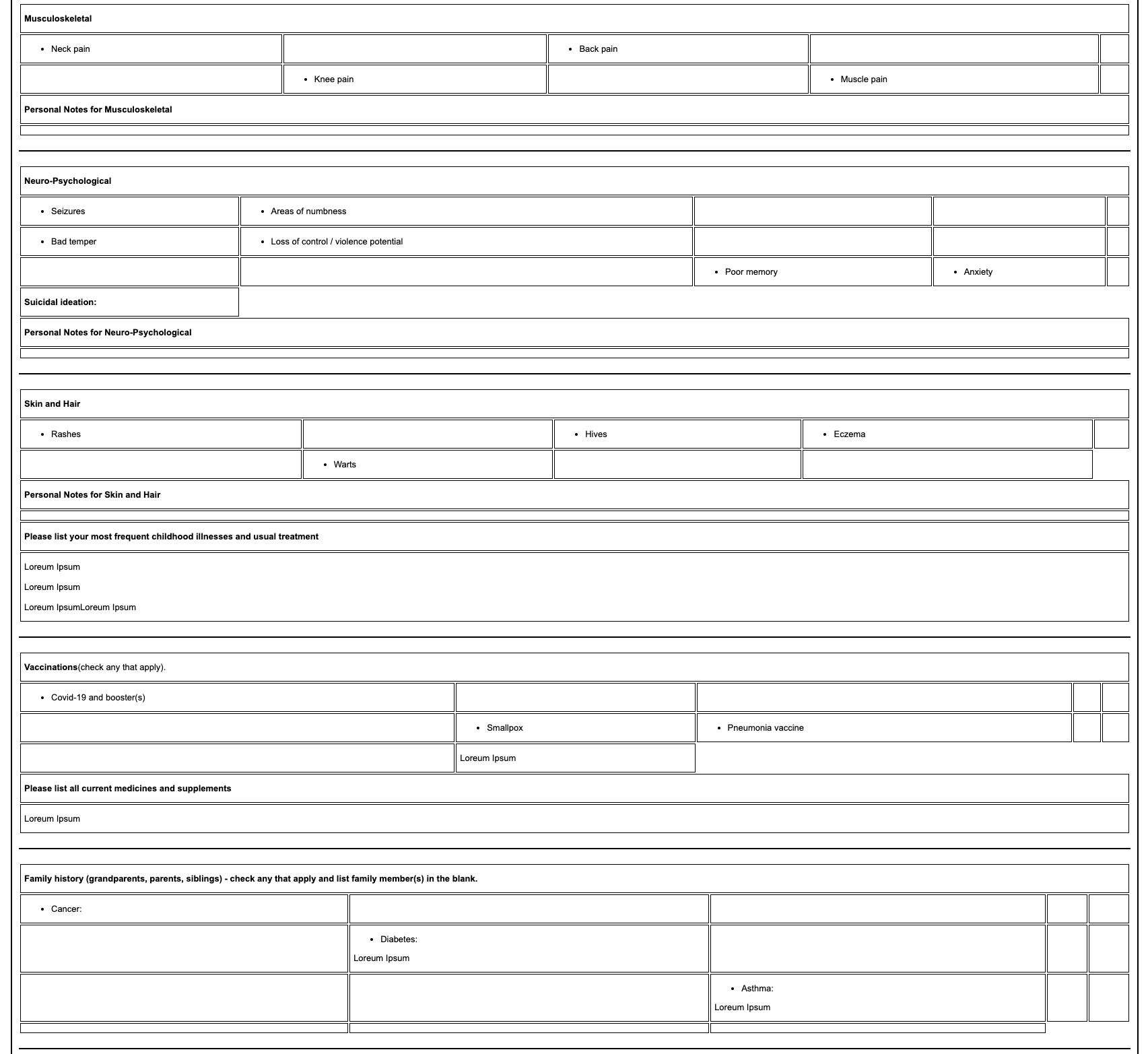
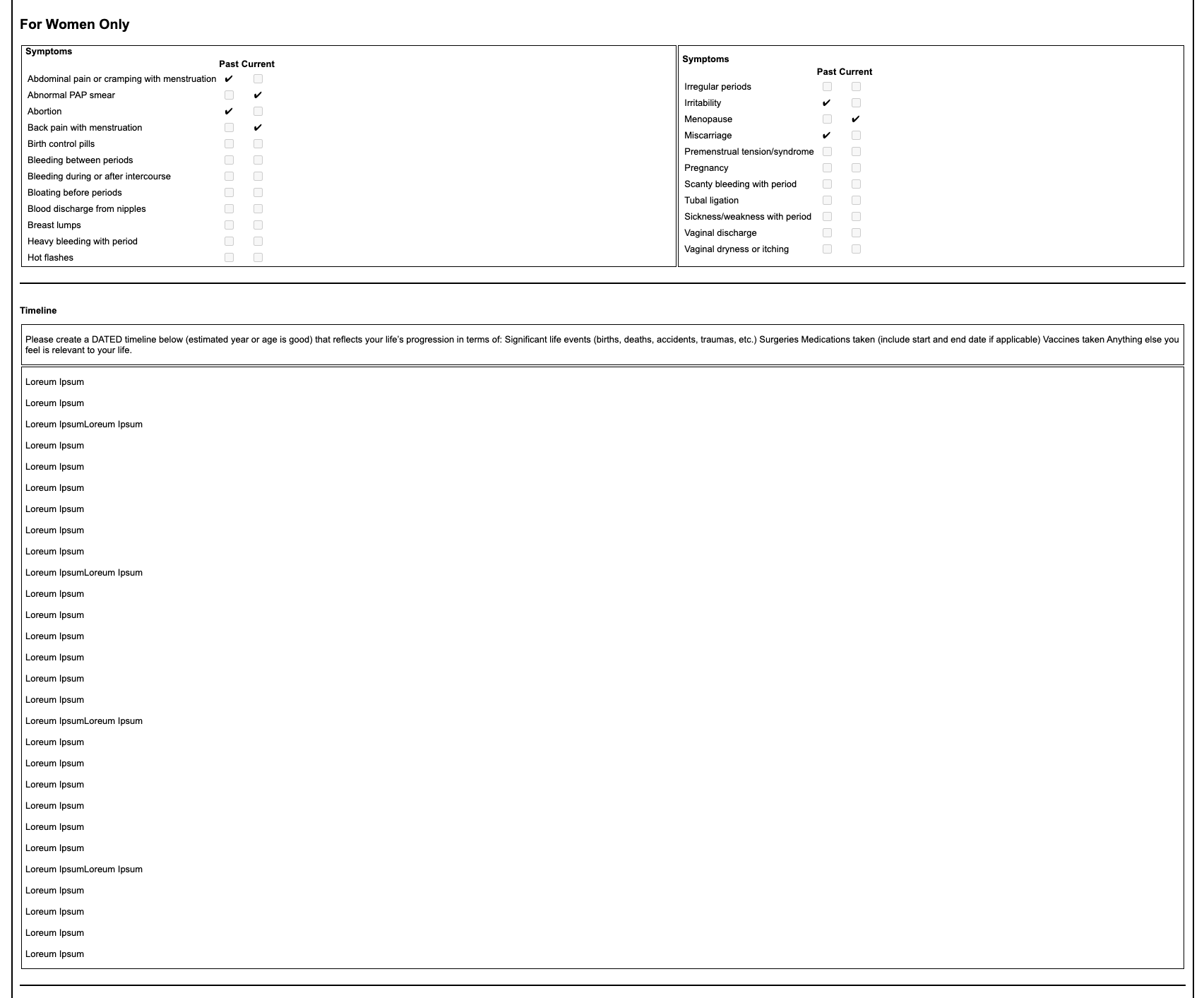
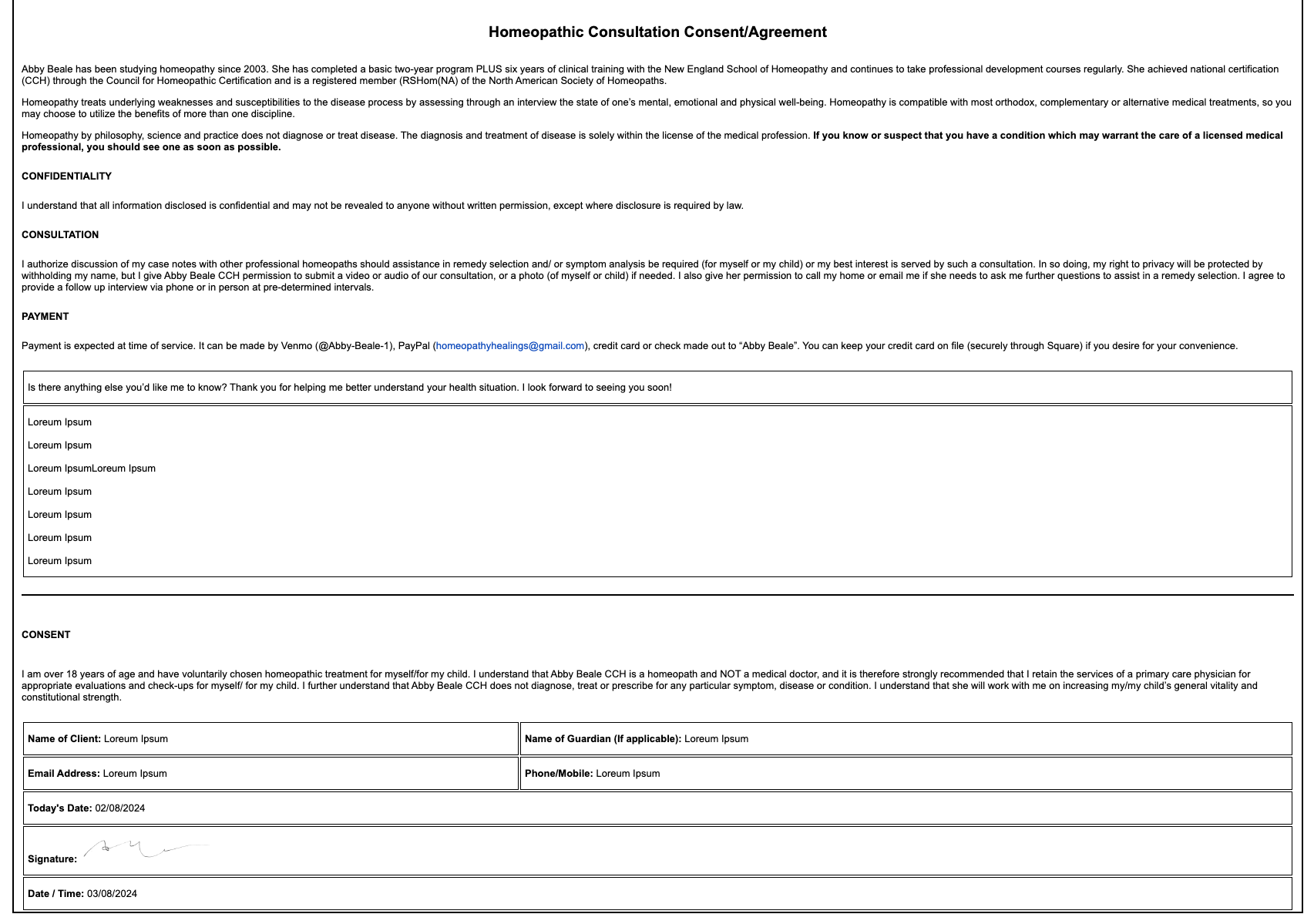
Digital form sections
Client in practice
The project
Our client was a homeopath with 20 years of experience whose practice ran entirely on paper intake forms. Patients would fill out a 4-page form before their first appointment, and the doctor had spent two decades reading submissions in that exact layout.
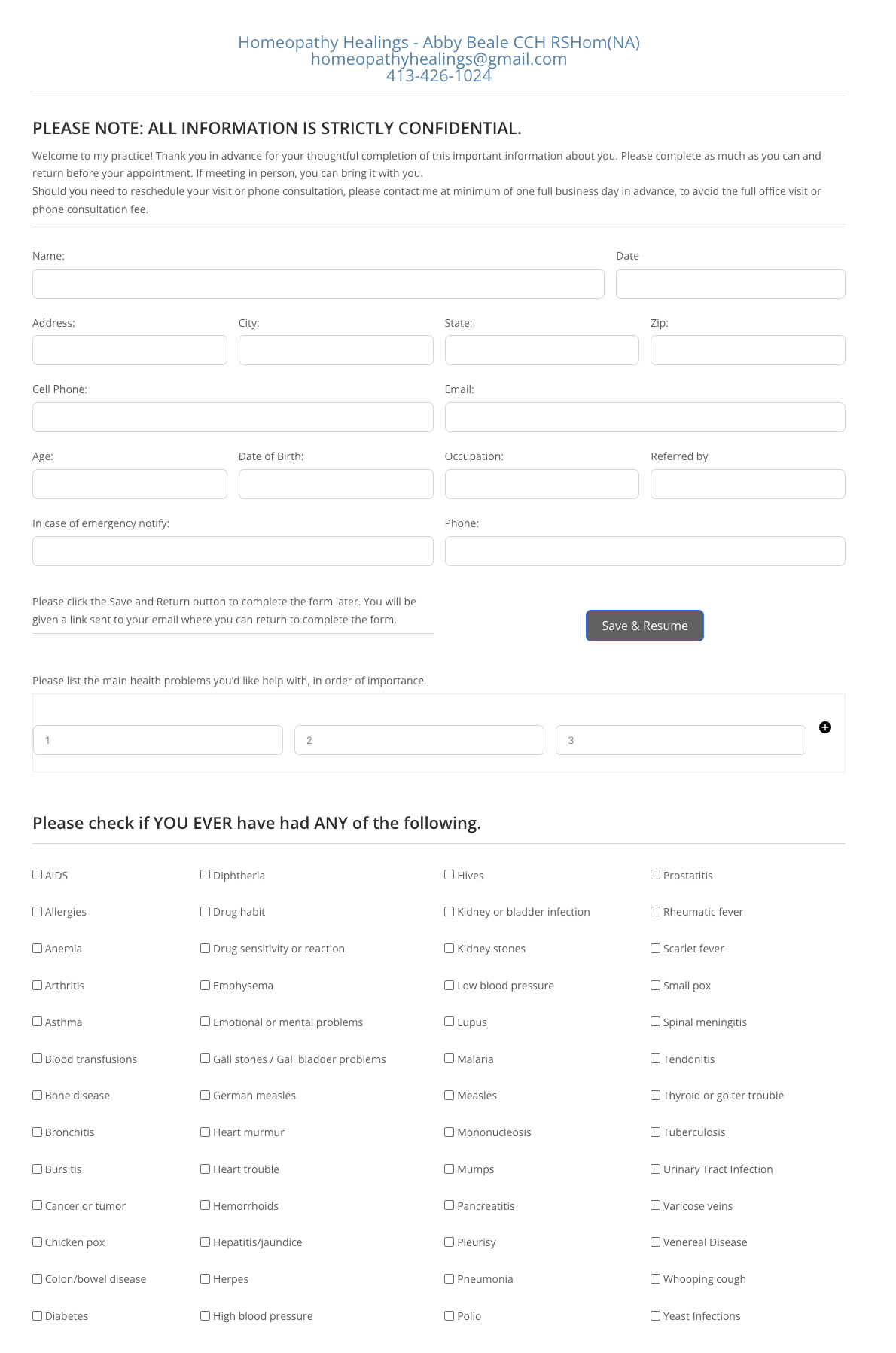
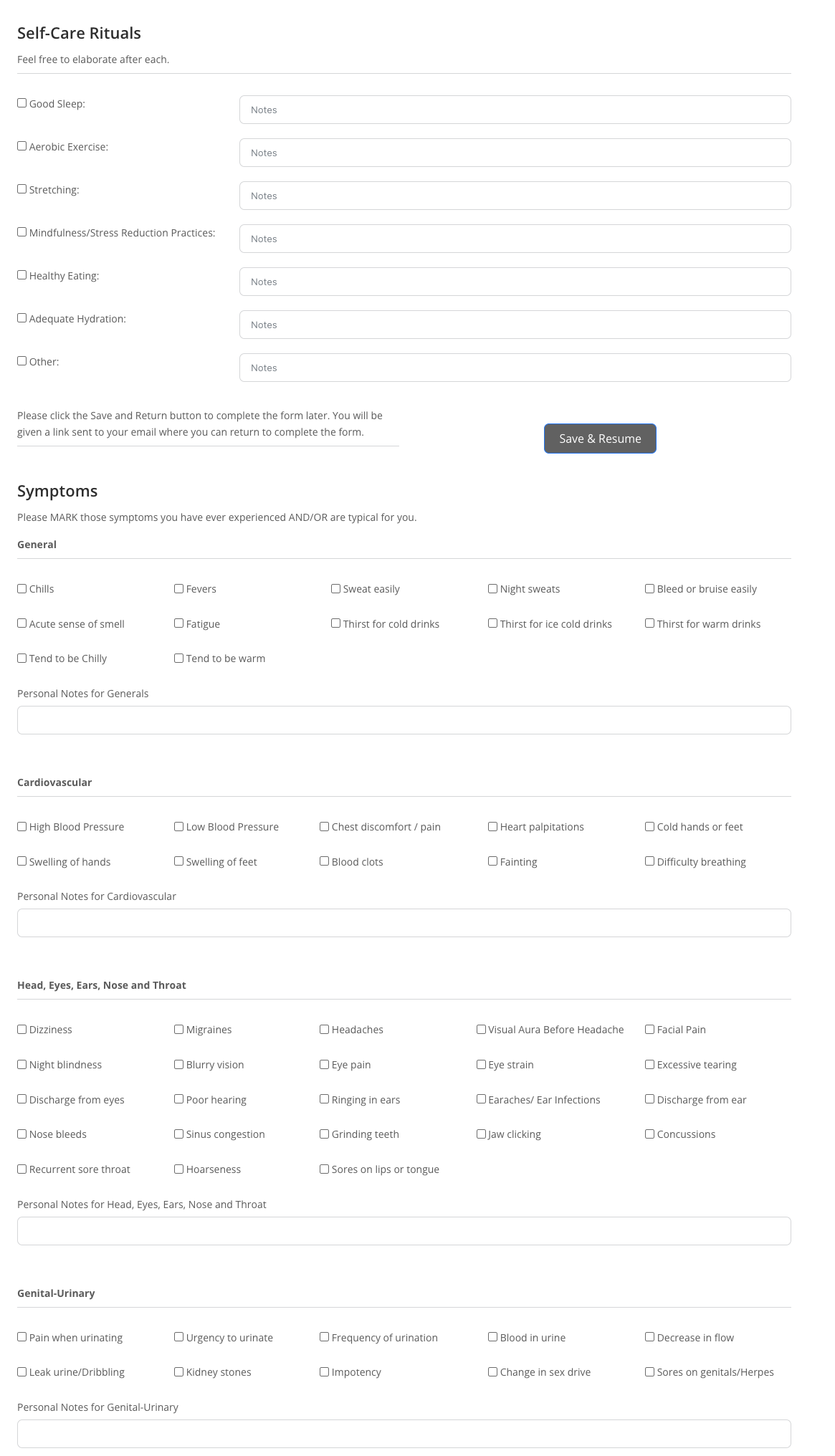
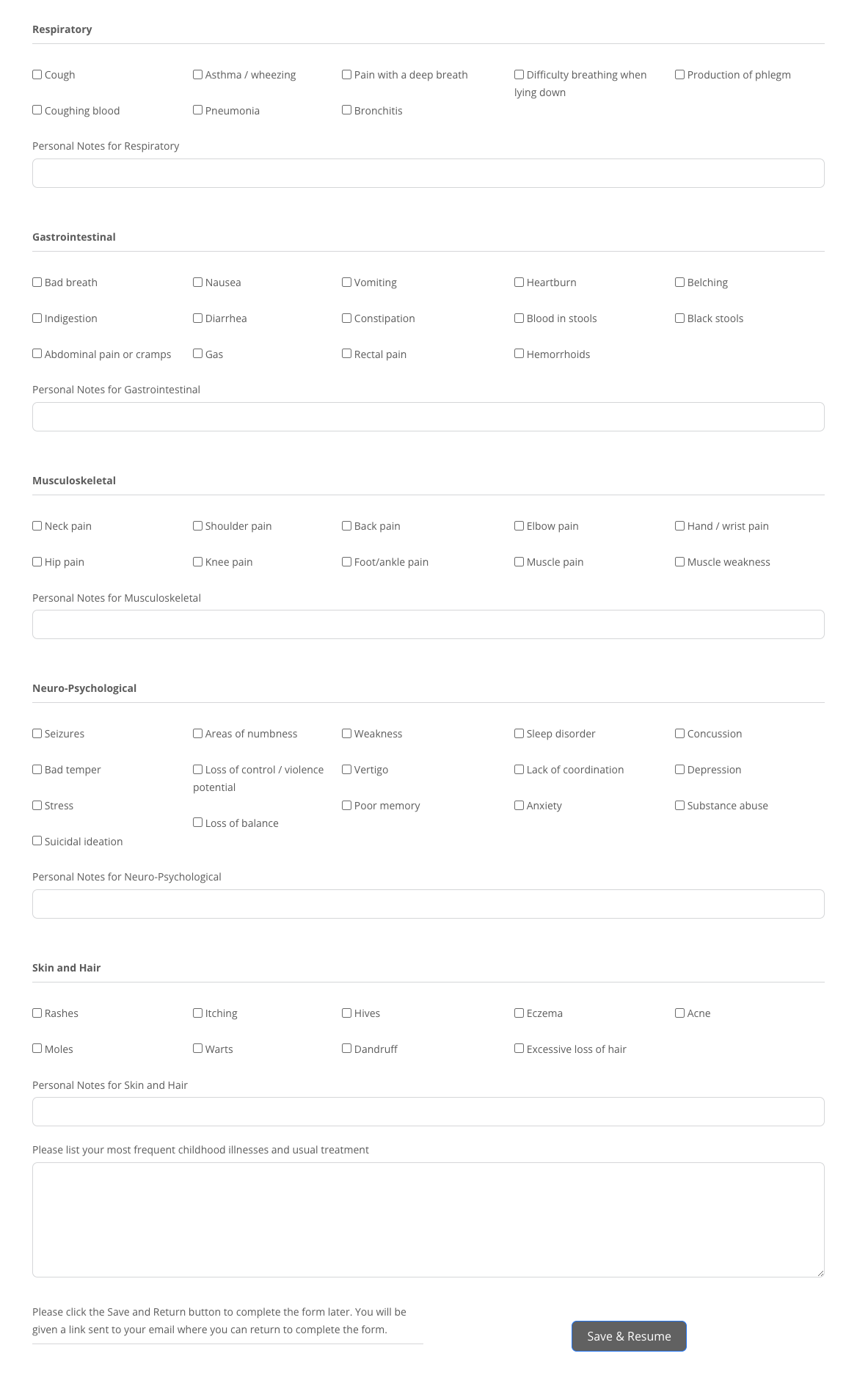
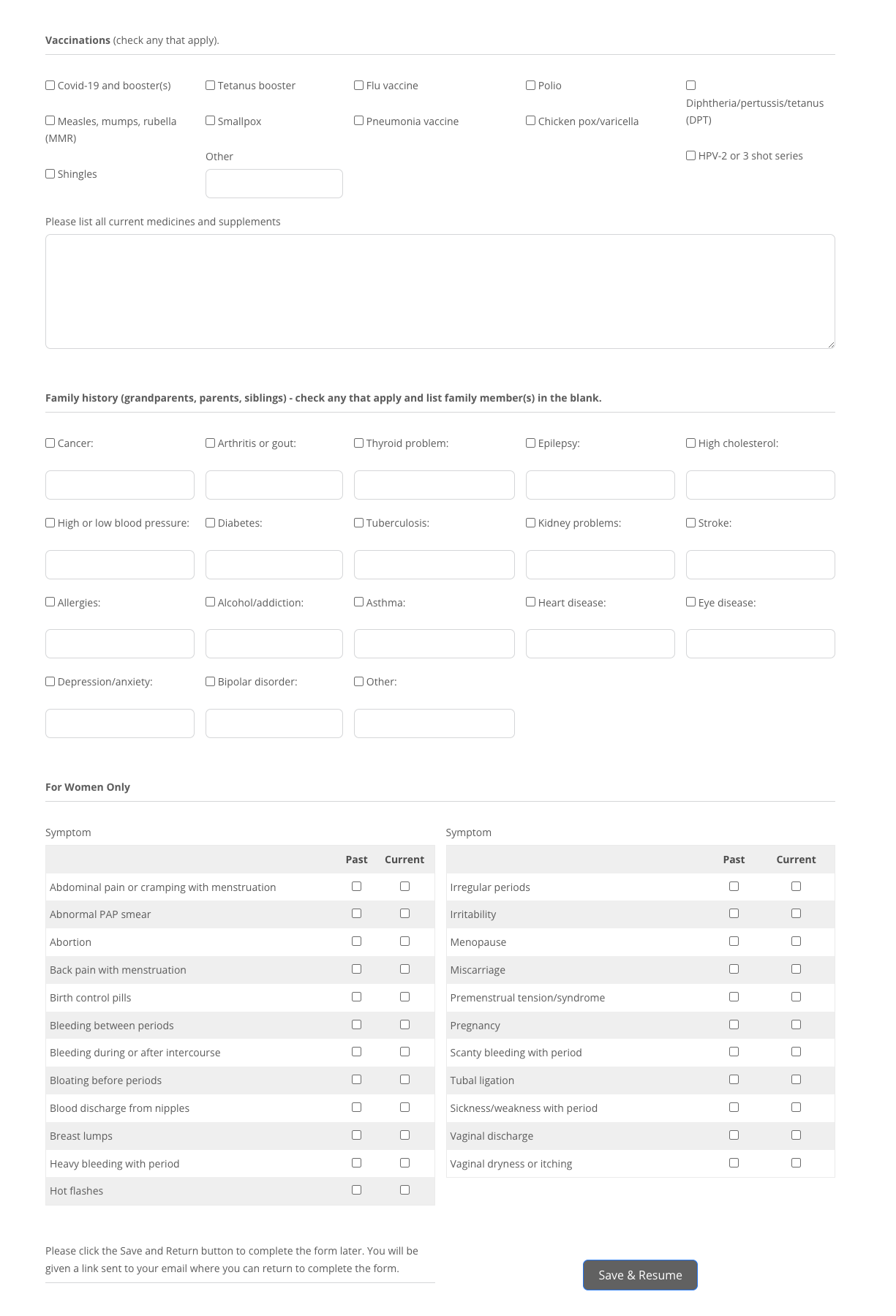
The goal wasn’t just to put a form online. It was to replicate the paper form precisely — same structure, same section headers, same visual flow — so that the digital version felt immediately familiar to both patients and the doctor.
The original paper intake form
Step 1: Understanding the requirements
Before writing a single line of code, we reviewed every page of the existing paper form and identified exactly what needed to be replicated. The client also had two additional requirements beyond a straight copy:
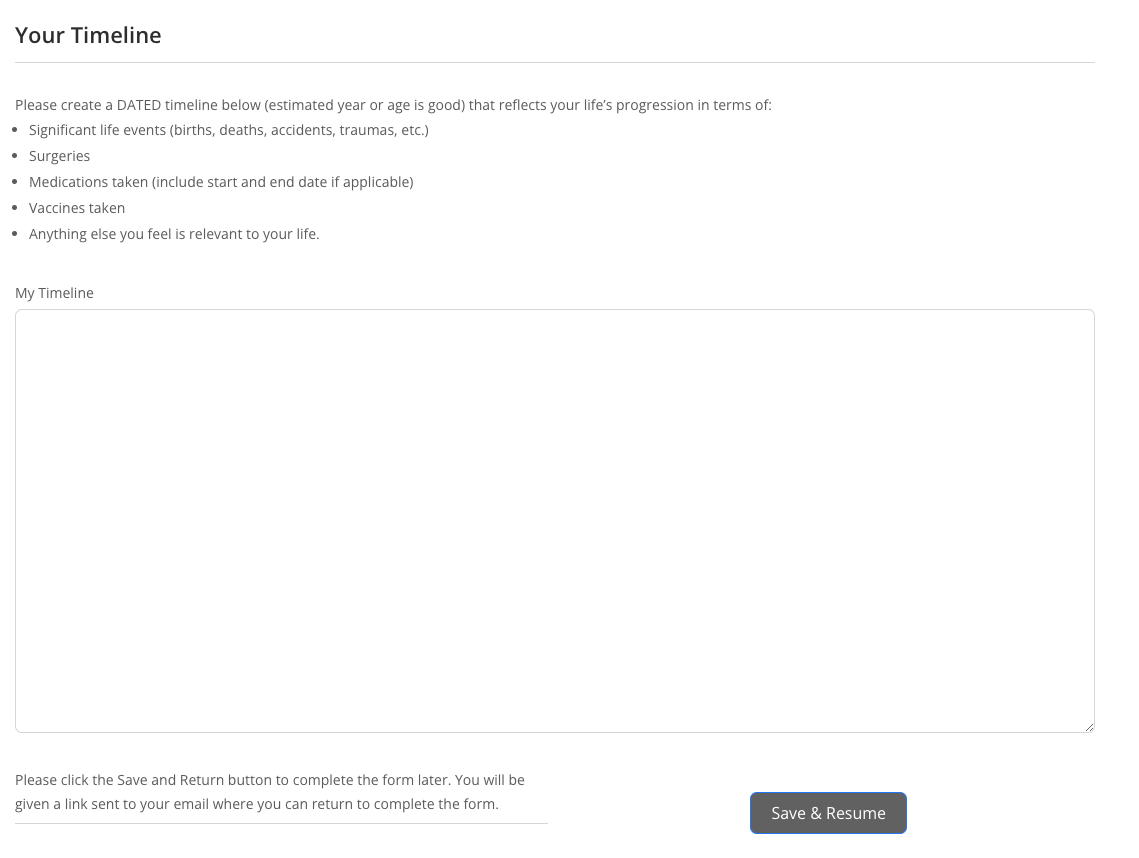
- Save-and-resume functionality — patients could complete the form across multiple sessions
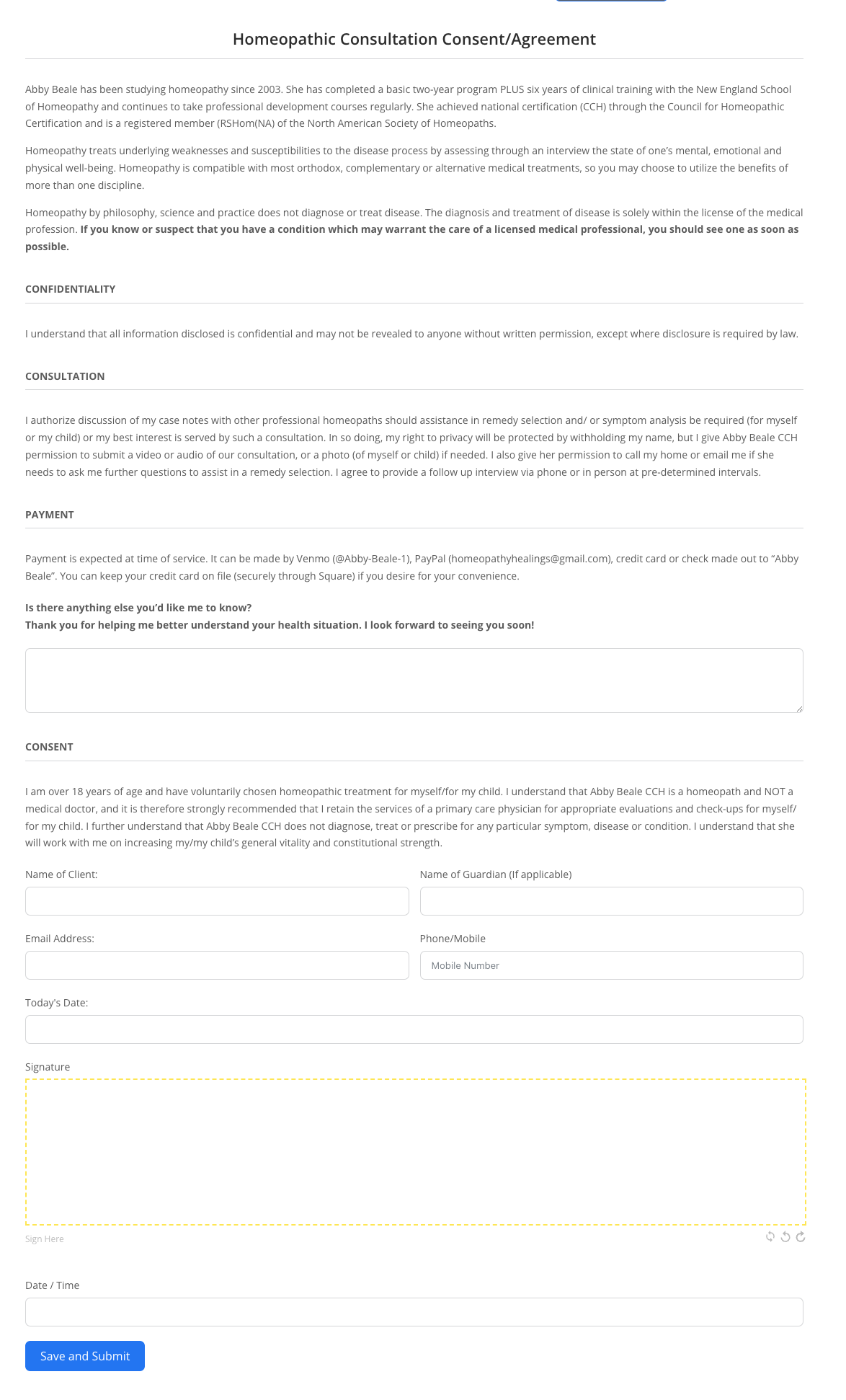
- Digital signature field — replacing the paper signature at the end of the form
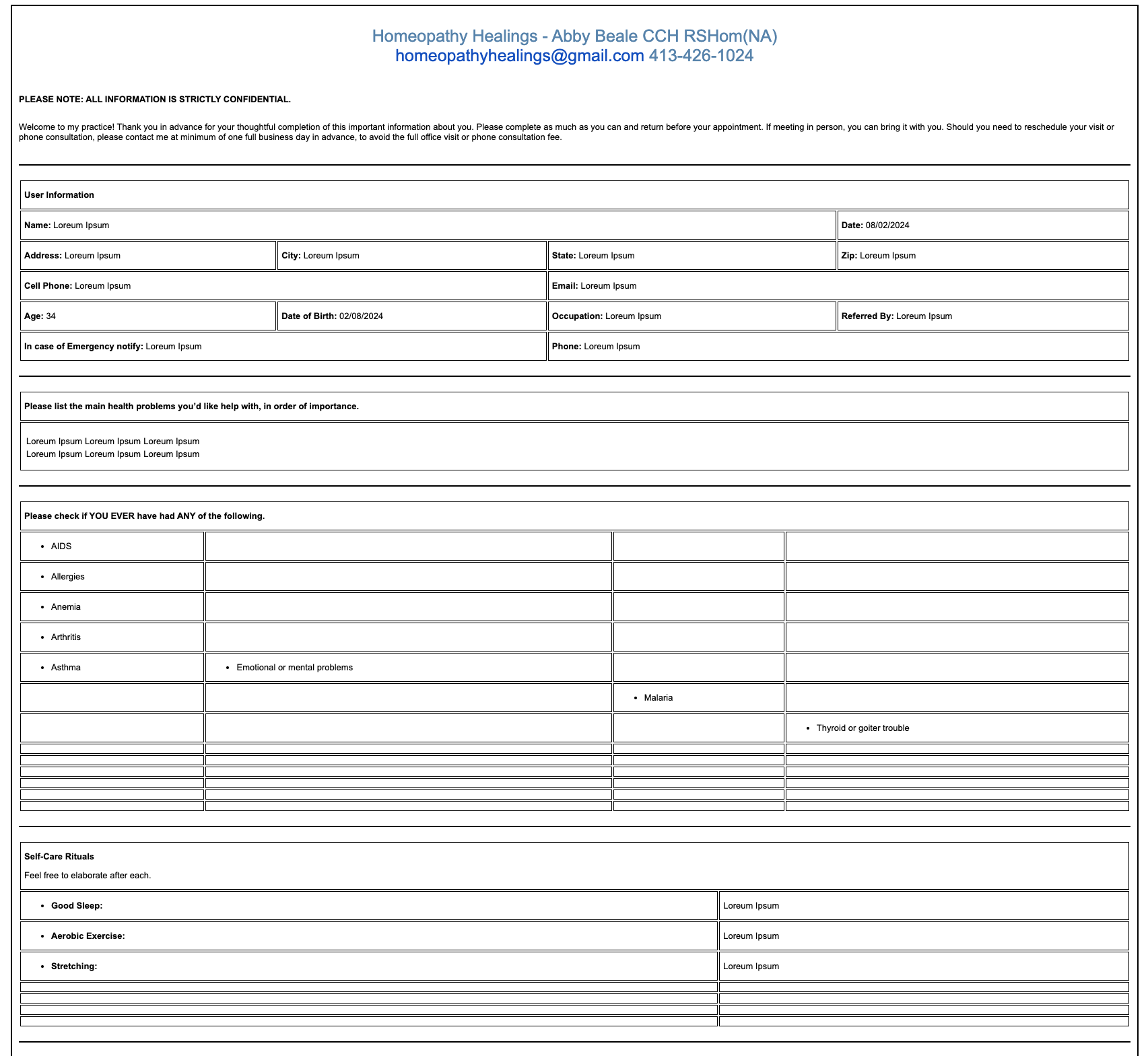
- Email notifications formatted identically to the form — so the doctor could read submissions in a familiar layout
Step 2: Building the digital form
We used Fluent Forms to build the digital intake form, replicating the exact structure of the paper version — same section headers, same field groupings, same visual hierarchy. Every element was matched: spacing, fonts, and the order of questions.
Step 3: Building the email template
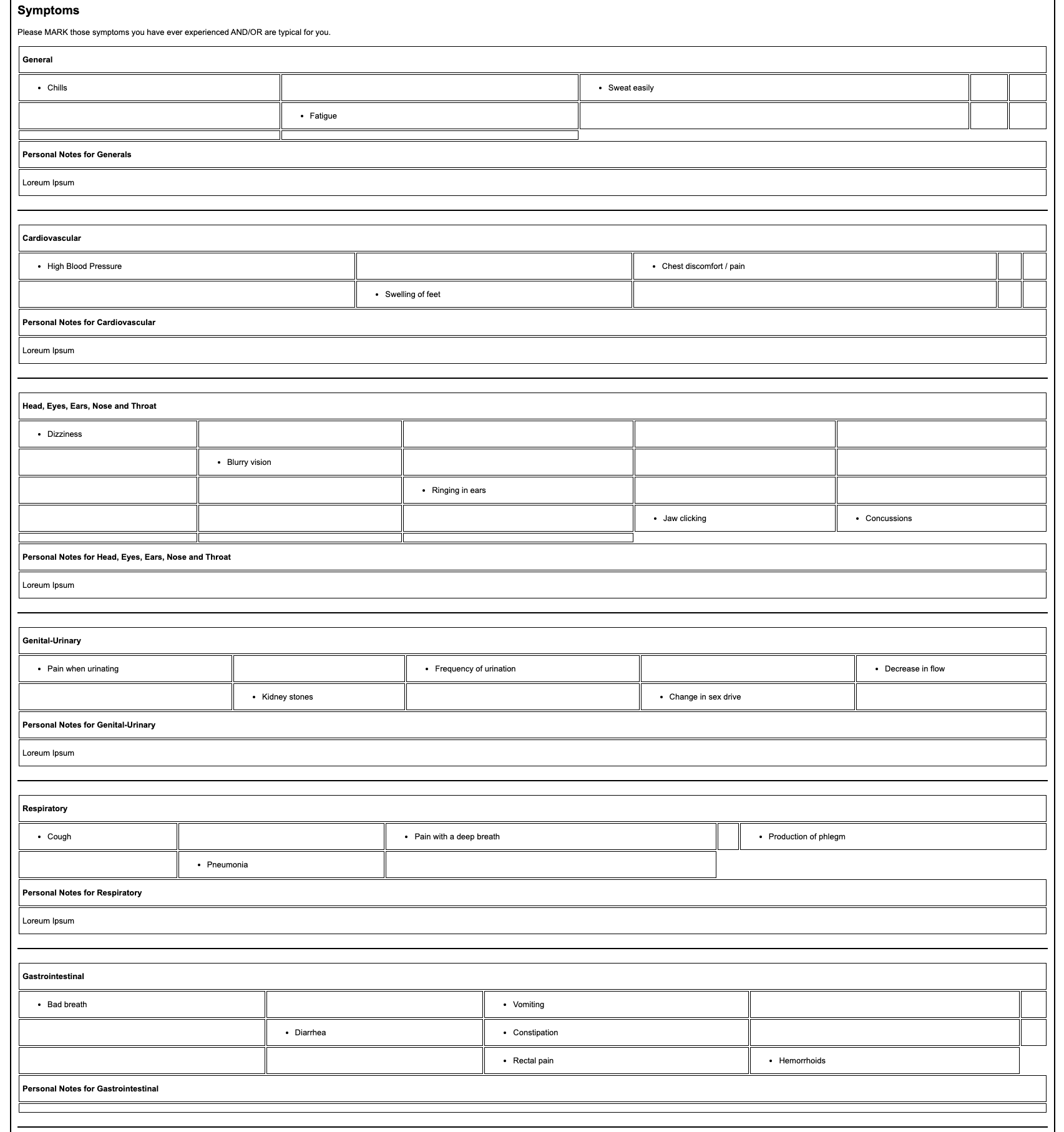
The email notification was built to mirror the form exactly. This is the part most developers skip — they send a generic data dump. We wrote clean responsive HTML using inline styles and table-based layouts for compatibility across Gmail, Outlook, Yahoo, and Apple Mail.
Challenges and how we solved them
Different email clients render HTML differently. We solved this with inline styles throughout and table-based layout instead of CSS flexbox or grid — the only reliable approach for cross-client email.
Every field in the form had to map precisely to the correct position in the email template. Rigorous testing with real submissions verified that all data appeared in the right place before going live.
A 4-page intake form takes time to complete. We implemented session-based progress saving so patients could start on one device and finish on another without losing their work.
Key principle: When digitising existing paper-based workflows, familiarity reduces friction. The closer the digital version looks and feels to what users already know, the higher the adoption rate — especially with older or less tech-savvy patient populations.
Need a custom form?
We build custom intake forms and email notifications for any business workflow.
Whether you’re digitising paper forms, building multi-step intake flows, or need branded email notifications — we handle the full build.
